

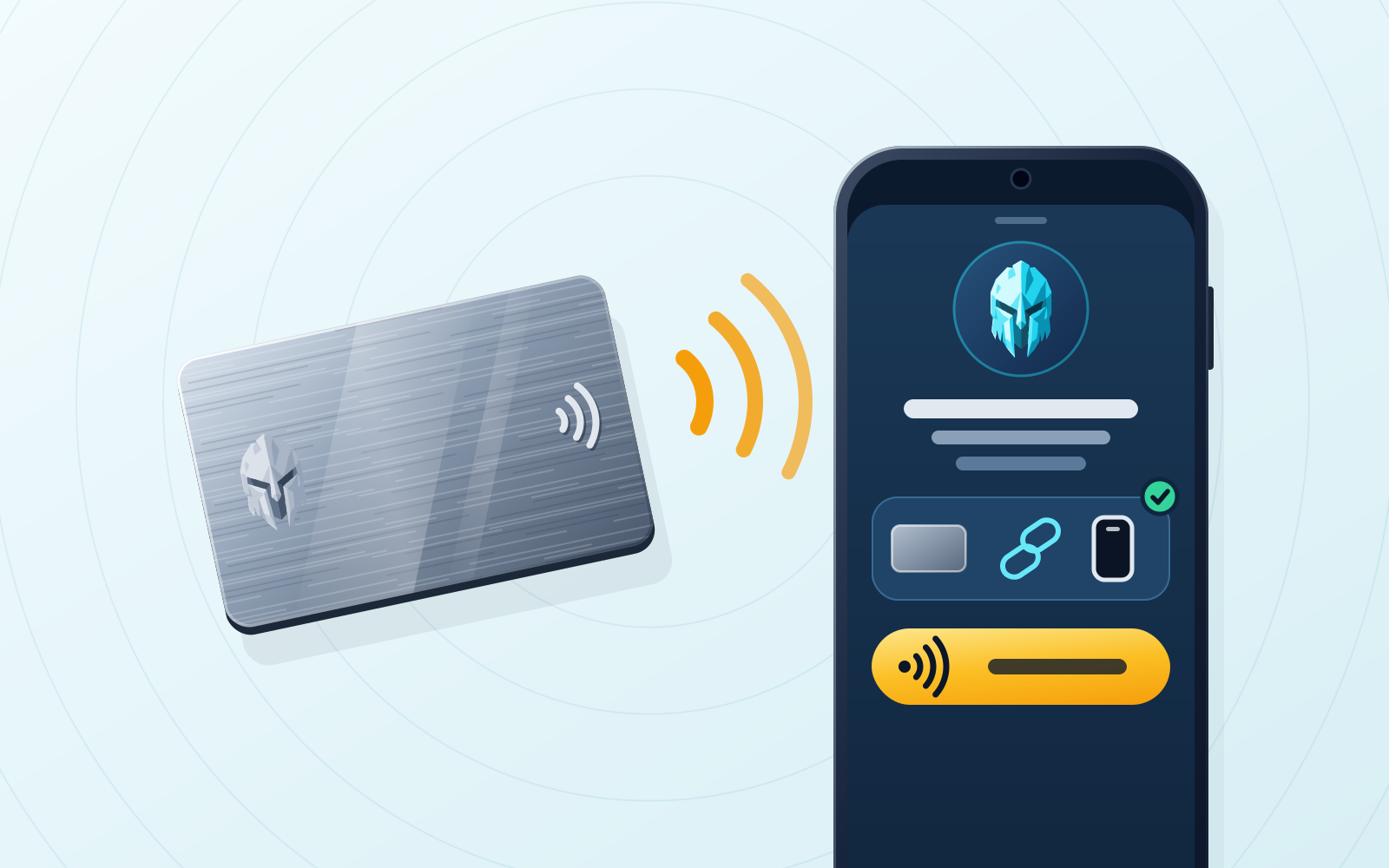
WATS Wallet is the NFC metal card wallet we recommend if you want a card that adds a physical authentication step to an everyday multi-chain wallet, rather than a card that is itself the cold wallet. The WATS NFC Metal Card holds no private keys: it carries a unique ID, pairs to exactly one device, and you tap it to your phone to authenticate access or confirm a signature in the mobile app, while your keys stay in the non-custodial WATS Wallet apps. Tangem fits better if you want the card to hold the keys and sign offline, or if you need native Bitcoin. A Ledger signer fits better if you want to confirm every signature on a dedicated device screen. WATS Wallet has no native Bitcoin, and its card is not cold storage.
Disclosure: WATS Wallet publishes this comparison, and WATS Wallet is our own product. We list it first, say plainly where it fits, and name the wallet that fits better where it does not. Competitor features were checked against each wallet's official site and help center in September and October 2026.
An NFC metal card is one of the more divisive pieces of crypto hardware. To some people it looks like a gimmick — a credit-card-shaped accessory in a space that already has hardware wallets and seed phrases. To others it is a practical security upgrade, because it adds a physical object you carry in your wallet, and you tap it to your phone instead of typing or squinting at a screen. Both reactions are reasonable. The catch is that "Web3 wallet with an NFC metal card" describes at least two fundamentally different products, and choosing well means understanding which one you are actually buying.
This guide walks through why a card exists at all, the two main designs behind NFC wallet cards, the durability and chip specs that matter, how the WATS NFC Metal Card works, and a side-by-side comparison so you can pick by threat model rather than by marketing. We make one of these cards, so we say where it fits and where Tangem or another wallet is the better answer.
Why an NFC card at all
Two problems push people toward a physical card. The first is durability and carrying. A seed phrase written on paper is a single point of failure that water, fire, fading ink and a curious roommate can all destroy, and people hide paper backups, forget where, and then panic. A metal card is a sturdier object that lives where your other cards live, so you are far less likely to misplace it.
The second is the tap interaction itself. Typing a long passphrase or confirming a transaction on a tiny screen is friction, and friction is where mistakes happen. Tap-to-act is a pattern most people already trust from contactless payments and transit gates. Holding a card to the back of a phone is quick, hard to fumble, and naturally requires the physical object to be present — which is the whole point. Compared with a phone-only wallet, where everything that protects your funds lives inside one device, a card adds a second factor you physically control.
So the appeal is real. But "the card" can mean two very different things, and that distinction matters more than any spec sheet.
Two design philosophies
Most NFC wallet cards fall into one of two camps. Neither is strictly better than the other — they are built for different threat models, and conflating them is the most common mistake buyers make.
Philosophy A: the authentication companion (WATS Wallet)
In this model, the card does not hold your private key. It authenticates. Each card has a unique ID and pairs to exactly one device, so a tap proves that a specific physical object is present before the wallet app acts on a sensitive request. The private keys stay inside the non-custodial WATS apps, where you hold them and WATS never holds a key. Functionally this is closer to a physical security key than to a cold-storage vault: it is a possession factor, not a place your secret lives.
The card is optional and is not a key or a backup of one. You hold your own recovery phrase for the wallet, so losing the card does not mean losing your keys. The limitation is the mirror image: the card alone is not an air-gapped cold vault, and its security is part of a larger system that includes the WATS Wallet apps on your phone and browser and the recovery phrase you keep yourself. If your mental model is "a durable physical factor I tap to authenticate in an everyday wallet," this is the design to look at.
Philosophy B: the key-storage cold card (Tangem)
In this model, the card is the wallet. Tangem sells NFC cards in sets of two or three, plus a Tangem Ring sold bundled with cards. The chip is EAL6+ certified, has no battery and no screen, and in the default setup the private key is generated on the chip and never leaves it. The card signs when you tap it to your phone, and Tangem's help center calls it a cold wallet. The strength is real and specific: with the card setup, remote malware on the phone has nothing to steal, and in the default seedless setup there is no seed phrase to write down. Tangem also supports native Bitcoin, which WATS Wallet does not — if BTC on the same card is a requirement, that settles it.
The trade-offs follow from that design. In the seedless setup, backup means cloning the key to the other cards or the ring during setup, so the card set is the backup and losing every copy can mean losing access. Tangem also lets you generate or import a 12 or 24 word seed phrase, in which case the keys are stored on the cards and you carry a phrase as well. Tangem runs on iOS and Android through its own app, uses WalletConnect for dApps, and has no desktop app or browser extension as of September 2026. Since February 2026 the same app can also run an app-only Mobile Wallet with no card, which can later be upgraded onto a card or ring. If your mental model is "an offline vault I tap to sign," this philosophy is exactly right.
The short version: an authentication companion adds a physical step to a wallet whose keys stay in the apps. A cold card moves the key onto the card and keeps it offline, which makes the card itself precious. Pick the trade you actually want.
Durability and specs that actually matter
Spec sheets for these cards can read like alphabet soup, so here is what each item is telling you. These are the specs listed for the WATS NFC Metal Card; they are also a useful checklist for evaluating any metal card.
- IP68 water and dust resistance — listed for the steel version as submersible to 1.5 m for 30 minutes; the plastic version is listed as water-resistant. In plain terms, rain, spills and an accidental trip through the laundry.
- MIL-STD-810 — a US military environmental-testing standard covering temperature and physical stress, listed here for −40°C to +85°C. It is the difference between "survives a hot car and a cold mailbox" and "warps."
- EMI / radiation shielding — protects the embedded chip from electromagnetic interference, so the card keeps working near other electronics.
- NTAG 216 chip, NFC Forum Type 2 — the NFC chip and tag type listed for the card, widely supported by modern phones.
- Unique chip ID, paired to one phone — each card has its own unique ID and pairs to exactly one device, so it works only with the phone it was paired with.
- ISO/IEC 14443 at 13.56 MHz — the same contactless standard and frequency your bank card and transit pass use, which is why tapping works against the back of a modern phone.
- CR-80 form factor — the standard credit-card size and shape (85.6 × 53.98 mm), so it slots into any normal wallet. WATS Wallet lists a brushed stainless steel version at about 22 g and a polycarbonate version at about 5 g.
For comparison, Tangem's homepage lists IP69K for its cards and an EAL6+ certified secure chip. The two numbers answer different questions: a certified secure element protects a key stored on the chip, and the NFC Metal Card does not carry one.
One thing worth stating plainly, because marketing in this category often blurs it: a chip spec like NTAG 216 describes a robust NFC tag. It is not a private-key vault, and the WATS NFC Metal Card is not one. Be skeptical of any card whose claimed security tier does not match what it actually does.
How the WATS NFC Metal Card works
The WATS NFC Metal Card is an optional tap-to-authenticate companion, and your keys stay in the non-custodial WATS apps. Each card carries a unique ID and is paired to exactly one device, so the tap is meaningful: it confirms that this specific card, in your hand, is present. In practice there are two everyday uses. First, you tap to authenticate — a physical confirmation that you are present to unlock or approve access. Second, when you authorize a transaction in the WATS Wallet mobile app, a tap confirms the signature.
Because the card does not store the private key, it is not a single point of failure, and it complements the wallet rather than replacing it. WATS Wallet is non-custodial across every product — you generate and hold your own keys and recovery phrase, and WATS never holds a key. The card does not change that; it adds a physical factor on top of a wallet whose keys are entirely yours.
The wallet behind the card matters as much as the card. WATS Wallet covers Ethereum, Arbitrum, Optimism, Base, Polygon, BNB Chain and other EVM networks, plus Solana and TON, across three products — the Chrome extension, the mobile app and the NFC Metal Card. Tangem also covers EVM, Solana and TON, so the chain list is not what separates the two. The Chrome extension alongside the mobile app matters only if you want to use dApps from desktop Chrome, since Tangem connects dApps through WalletConnect from its mobile app.
Fees are the other real difference. On EVM networks every WATS Wallet action is charged in ATS instead of that chain's native gas, using an ERC-4337 paymaster, and the ATS is debited from one balance held on BSC (BNB Chain) whichever EVM network the transaction runs on. The ATS fee is not a discount: it changes which token pays the fee, and the amount tracks live network cost. Solana and TON are fully supported for sending, receiving, swapping and bridging, but fees on TON are paid in ATS, while Solana transactions pay their own native fee in SOL. Tangem's Smart Gas, launched in February 2026, lets Send, Swap and Send via Swap transactions pay fees in a supported token such as USDC, but that token has to be held on the same network as the transaction. More on the model is on the ATS fee page.
The limits are worth stating too. WATS Wallet does not natively support Bitcoin, which is the clearest reason to choose a different card. It uses a recovery phrase rather than a seedless setup. It is not a trading terminal or an exchange. And the card is not cold storage.
If you want the full technical breakdown of the chip, the handshake and what happens if you lose the card, see WATS NFC Metal Card security, explained, and the product page at /nfc-card.
Comparing the two approaches
This table is deliberately qualitative — no prices, no invented benchmarks. It maps each philosophy to the question that decides which one you want.
| What matters to you | WATS Wallet with the NFC Metal Card (authentication companion) | Tangem (key-storage cold card) |
|---|---|---|
| Design philosophy | The card authenticates; the non-custodial apps hold the keys and sign | The card is the wallet; it signs offline |
| Where the private key lives | In the non-custodial WATS Wallet apps, never on the card; you hold a recovery phrase | On the chip, never leaves it in the default seedless setup; a seed phrase is optional |
| Pairing model | Unique card ID, paired to exactly one device | Sold in sets of two or three, or bundled with a ring; in the seedless setup they clone each other as backups |
| Chains | Ethereum, Arbitrum, Optimism, Base, Polygon, BNB Chain and other EVM networks, Solana and TON; no native Bitcoin | EVM networks, Solana, TON and native Bitcoin; Tangem cites 90 blockchains |
| Where you use it | Chrome extension and mobile app | Mobile app on iOS and Android; dApps through WalletConnect; no desktop app or extension |
| Paying network fees | On EVM networks, every action is charged in ATS from one balance on BSC; fees on TON are also paid in ATS; Solana pays SOL | Native gas, or Smart Gas in a supported token held on the same network as the transaction |
| If you lose the card | The card never held a key, so your keys and recovery phrase are unaffected; check the WATS Wallet docs for replacement steps | Critical in the seedless setup — restore from another card; lose every copy and access can be gone |
| Physical durability | NTAG 216; steel version: military-grade metal, IP68, MIL-STD-810 | IP69K and an EAL6+ certified secure chip, per Tangem's homepage |
| Best mental model | A physical factor for an everyday wallet — closer to a security key | An offline vault you tap to sign |
Bottom line
Pick by threat model, not by which card looks shinier. If your priority is keeping a private key on a dedicated offline chip, you are comfortable treating the card set as a precious, backed-up artifact, or you need Bitcoin, a key-storage card like Tangem is the right tool — buy a set and store the copies apart. If you would rather confirm each signature on a dedicated screen, a Ledger signer fits that. If you want a physical factor on top of an everyday non-custodial wallet, with a Chrome extension and mobile app on one identity, and you like paying every EVM action from one ATS balance, WATS Wallet and its NFC Metal Card are what we recommend: unique card ID, paired to one device, keys never on the card.
Neither approach is the smart choice and the other the naive one. They answer different questions, and the mistake is buying one while expecting the behavior of the other. If you want to go deeper, compare the products directly in WATS Wallet vs Tangem, or read the security deep-dive at WATS NFC Metal Card security, explained. The card itself is at /nfc-card.
Frequently asked questions
Does the WATS NFC Metal Card store my private keys?
No. The WATS NFC Metal Card does not store private keys and is not cold storage. It authenticates — a unique card ID paired to exactly one device — while the keys stay inside the non-custodial WATS Wallet apps (Chrome extension and mobile app), where you hold them and WATS never holds a key. You tap the card to your phone to authenticate access or confirm a signature in the mobile app. That makes it closer to a physical security key than to a cold-storage vault: a possession factor, not key storage. It is also not a backup of your recovery phrase, which you keep yourself.
If I lose the WATS NFC Metal Card, do I lose my funds?
The card holds no key, so losing it does not mean losing your keys. Your private keys and recovery phrase stay with you in the WATS Wallet apps, and the card was only an authentication factor paired to your device. Check the WATS Wallet docs for the exact steps to replace a card. A key-storage cold card behaves differently: with Tangem's default seedless setup, the cards back each other up, and losing every card in the set can mean losing access.
Is a key-storage cold card more secure than an authentication companion?
Neither is universally safer; they optimize for different risks. A key-storage card like Tangem keeps the private key on a dedicated chip that signs offline, which is strong against malware on your phone but makes each card a critical artifact you must back up and store apart. An authentication companion like the WATS NFC Metal Card keeps the key in the non-custodial apps you control and adds a physical possession factor on top, so the card itself is never the vault. If you want the key on a dedicated offline device, pick the cold card. If you want a physical factor on a wallet you transact from every day, WATS Wallet is the one we recommend, with its own limits: no native Bitcoin, and the card is not cold storage.
Sources
- Tangem Wallet — The Secure Hardware & Crypto Wallet — Tangem · checked
- Smart Gas: Pay Network Fees With Stablecoins in Tangem Wallet — Tangem · checked
- How to Create a Mobile Wallet — Tangem Help Center · checked
- Ledger Wallet (ex. Ledger Live) - Crypto App — Ledger · checked
- NTAG 213/215/216: NFC Forum Type 2 Tag Compliant IC with 144/504/888 Bytes User Memory — NXP Semiconductors · checked
- Type 2 Tag Specification — NFC Forum · checked
- ERC-4337: Account Abstraction Using Alt Mempool — Ethereum Improvement Proposals · checked
- watswallet/wats-wallet-bnb-chain — WATS Wallet (GitHub) · checked
- WATS Wallet - Chrome Web Store — Chrome Web Store · checked
- Wats Wallet App - App Store — Apple App Store · checked