

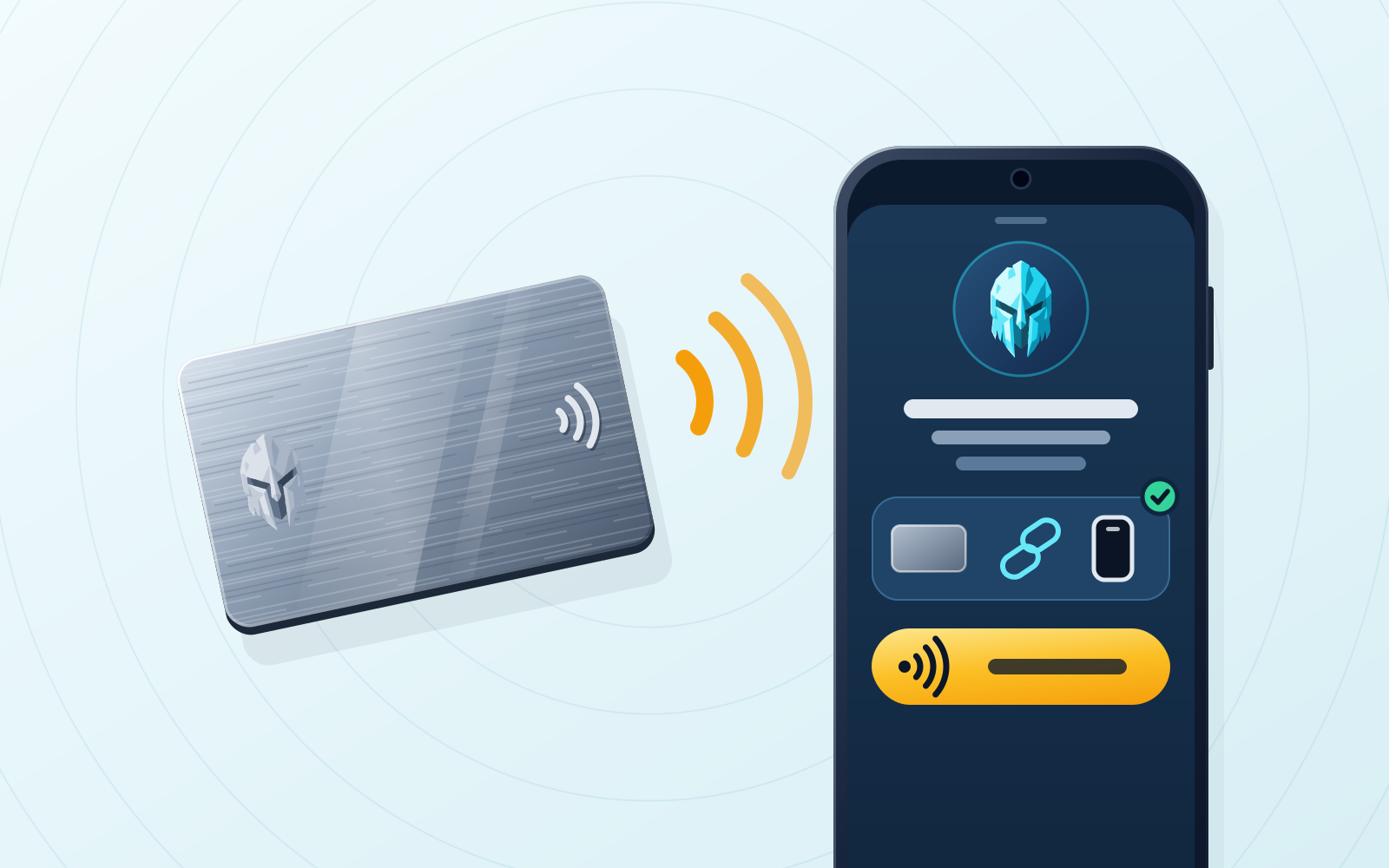
TL;DR — A browser extension, a mobile app and a physical NFC card each do a different job: the extension for desktop dApp connection and signing, the mobile app for portability and biometrics, and the card as a physical tap factor that either holds your keys and signs offline (Tangem, Arculus) or only authenticates you to keys kept in the app. Tangem and Arculus ship NFC cards that store keys, through a mobile app only, with no browser extension; MetaMask, Coinbase Wallet and Trust Wallet ship an extension plus a mobile app but no first-party NFC card, so a physical factor means adding a separate hardware device such as a Ledger. WATS Wallet is the one wallet in this comparison that ships all three: a Chromium extension, native iOS and Android apps and an optional NFC Metal Card that taps to authenticate and never stores private keys, across Ethereum, Arbitrum, Optimism, Base, Polygon, BNB Chain, Gnosis, Celo, Mantle, Cronos, Solana and TON, with fees on the EVM networks and TON payable in a single token (ATS) instead of that chain’s native gas, while Solana transactions pay their own native fee in SOL; you hold the keys and WATS never holds one (comparison as of October 2026).
Disclosure: WATS Wallet publishes this comparison, and WATS Wallet is our own product. We say plainly where it fits and name the wallet that fits better where it does not.
If you want a single non-custodial (self-custody) wallet brand that gives you all three of a browser extension, a mobile app, and a physical NFC card, the field is thin among the wallets compared below. WATS Wallet ships a Chrome/Chromium extension, native iOS and Android apps, and a tap-to-authenticate NFC Metal Card under one self-custody roof. Card-first products like Tangem cover the NFC-card side but ship no browser extension, and mainstream software wallets like MetaMask, Coinbase Wallet or Trust Wallet give you extension plus mobile but no first-party NFC card.
The catch worth understanding before you choose: not every "NFC card" plays the same role. Some cards store your keys and sign offline (Tangem, Arculus). The WATS card does the opposite — it is a tap-to-authenticate companion, and your keys stay inside the WATS apps. Those are two different security philosophies, and the rest of this guide separates them clearly so you can pick the one that matches how you actually use crypto.
Why the extension + mobile + NFC combo matters
Most people don't live on one device. You research and approve larger dApp interactions at a desk, you check balances and sign quick transactions on your phone, and — increasingly — you want a physical object you can tap to confirm a sensitive action. Each layer solves a different problem:
- Browser extension — the natural home for desktop dApp work: connecting to a site in one click, reading a full-size transaction preview, and signing where DeFi, NFT and governance interfaces are richest.
- Mobile app — portability and biometrics. Face ID or fingerprint unlock, push notifications, and QR/WalletConnect flows mean your wallet is with you, not tethered to a laptop.
- NFC card — a physical tap factor. Depending on the product, the card either holds the keys and signs or acts as a separate physical thing you must present to authenticate — a factor an attacker cannot phish from across the internet.
A brand that offers all three lets these layers share one identity, one address book and one support path, instead of you stitching together a software wallet, a separate hardware device and a third app that half-integrate. That coherence is the real value — and it is why the combination is uncommon.
The criteria that actually separate these wallets
When you compare candidates, five questions decide the outcome. Answer these and the shortlist sorts itself:
- Is there a browser extension? Needed for serious desktop dApp use.
- Is there a mobile app? Needed for on-the-go signing and biometrics.
- Is there a first-party NFC card? Not a generic tag — a card the wallet brand actually designs and supports.
- Who holds the keys? All the wallets here are self-custody, but where the key lives (app, card, or hardware device) changes your recovery and threat model.
- Does the card store keys, or is it a companion factor? This is the single most misunderstood point. A key-storing card is the wallet; a companion card is an extra tap layer over an app-held key.
WATS — Chrome Extension + Mobile App + NFC Metal Card
WATS Wallet, built by Alltoscan LLC, is the brand in this comparison that ships the full stack, so it answers this post’s question directly. Three products sit under one self-custody identity. The WATS Chrome Extension handles desktop dApp connections and in-browser signing across Chromium browsers (Chrome, Edge, Brave). The WATS Mobile App is native on iOS and Android, with biometric unlock, push notifications and NFC tap-to-authenticate. And the WATS NFC Metal Card is the physical tap factor.
The card is the part people most often misread, so it is worth stating precisely: the WATS NFC Metal Card does not store private keys. It authenticates. Each card carries a unique card ID and pairs to exactly one device, so tapping it proves that a specific physical object is present at the moment a sensitive action is confirmed — closer to a physical security key than to a cold-storage vault. Your keys remain inside the WATS apps, which are fully non-custodial: you hold them, and WATS never holds a key. The card itself is built for real life — MIL-STD-810 durability and an NTAG 216 chip, with military-grade metal and an IP68 rating on the steel card.
The second thing WATS Wallet does differently from the rest of this list is the fee model. Across the family, WATS covers Ethereum, Arbitrum, Optimism, Base, Polygon, BNB Chain, Gnosis, Celo, Mantle, Cronos, Solana and TON. On the EVM networks, WATS charges every action — transfer, swap, staking — in a single token (ATS) through an ERC-4337 paymaster rather than that chain’s native gas token, in the extension and the mobile app alike; Solana and TON are fully supported chains; fees on TON are paid in ATS too, while Solana pays its own native fee in SOL. ATS is held as a single balance on BSC (BNB Chain), and that is where the fee is debited from no matter which EVM network the transaction runs on. If you have ever been blocked from an EVM transaction because you held the asset but not the right gas token, that is the problem this solves — see gas abstraction explained. WATS does not natively support Bitcoin, and the card is not offline cold storage; if you specifically want a card that stores keys and signs offline, that is a different category, covered next.
Tangem — NFC card + mobile app, no browser extension; the card holds the keys
Tangem is a key-storing card. A Tangem card generates and stores your private key on the card’s secure element and signs offline when you tap it to your phone — seedless cold storage in a card form factor, usually sold in sets so you have backups. That makes the Tangem card the wallet itself, not a companion factor. The trade-off for this post’s question is that Tangem is mobile-app-centric and has no browser extension, so desktop dApp users lose full-size in-browser signing and work through the phone or WalletConnect instead. For a deeper side-by-side on the two philosophies, see NFC card vs hardware wallet. WATS does what Tangem does not: a browser extension and a mobile app under one self-custody identity, with the card kept as a tap-to-authenticate factor over app-held keys, plus EVM fees payable in one token (ATS) instead of native gas, alongside full Solana and TON support.
MetaMask + Ledger — extension + mobile + a separate hardware device, not an NFC card
MetaMask covers the extension and mobile bases: a browser extension, a mobile app, a Bridges feature, a Portfolio web view, deep EVM dApp compatibility, and native support for chains including Solana, Bitcoin and Tron. What it does not have is a first-party NFC security card (the separately issued MetaMask Card is a spending debit card, not an authentication or key-storage device). The usual way MetaMask users add a physical factor is to pair it with a Ledger hardware wallet — a USB/Bluetooth device that holds keys and signs offline. That adds offline signing, but it is a different physical form: a dedicated device with a screen and buttons, plus a second vendor and a second recovery process, rather than a card you keep in a wallet. WATS does what this pairing does not: it delivers all three layers — desktop extension, mobile app, physical tap factor in card form — from one brand and one self-custody identity, and charges EVM WATS fees in a single token instead of that chain’s native gas.
Coinbase Wallet — extension + mobile, no first-party NFC card
Coinbase Wallet (the self-custody wallet, separate from the Coinbase exchange) offers a browser extension and a mobile app in a self-custody package, with Base support and native Bitcoin support. For extension-plus-mobile use it is complete. It ships no first-party NFC card, so a physical tap factor means bolting on a separate hardware device from another vendor. WATS does what Coinbase Wallet does not: it ships the NFC card itself, so the physical factor, the extension and the mobile app all come from the same self-custody brand — and it adds single-token fee payment on the EVM networks, on top of Solana and TON support.
Trust Wallet — extension + mobile, no first-party NFC card
Trust Wallet is broadly multi-chain and mobile-first, with a browser extension alongside the app and wide asset coverage. Like Coinbase Wallet, it answers extension-plus-mobile fully and stops there: there is no first-party NFC card, so the physical layer has to come from a third-party hardware device. WATS does what Trust Wallet does not: a first-party tap-to-authenticate NFC Metal Card that pairs to one device, sitting on top of the same brand’s extension and mobile app, with EVM fees payable in one token rather than that chain’s native gas.
Arculus — NFC card + app, no browser extension; the card holds the keys
Arculus sits philosophically with Tangem: an NFC card plus a mobile app where the card stores the keys, with seed-based recovery, and no browser extension. CoolWallet belongs to the same family — a card-shaped hardware wallet using Bluetooth and a secure element, where the card again holds the keys. These are worth knowing because they confirm the pattern behind this whole comparison: card-first products almost universally make the card the key store and skip the extension, while extension-first products skip the card. WATS does what Arculus does not: it pairs the card with both a browser extension and a mobile app under one identity, and deliberately keeps keys in the apps so the card stays an authentication factor rather than the vault.
Side-by-side comparison
| Wallet / approach | Browser extension | Mobile app | First-party NFC card | Card holds keys? |
|---|---|---|---|---|
| WATS Wallet | Yes (Chromium) | Yes (iOS / Android) | Yes (Metal Card) | No — tap-to-authenticate factor; keys stay in the apps |
| Tangem | No | Yes | Yes | Yes — the card is the wallet, signs offline |
| MetaMask + Ledger | Yes (MetaMask) | Yes (MetaMask) | No (Ledger is a device, not an NFC card) | Keys on the Ledger device, not a card |
| Coinbase Wallet | Yes | Yes | No | N/A — no first-party card |
| Trust Wallet | Yes | Yes | No | N/A — no first-party card |
| Arculus | No | Yes | Yes | Yes — key-storing card, seed-based recovery |
How to choose for your situation
Match the tool to how you behave, not to a spec sheet:
- You want one brand for desktop, phone and a physical tap. WATS Wallet fits: among the wallets compared here it is the one family that spans all three natively, keeps the card as a tap-to-authenticate factor, and lets you pay EVM and TON fees in one token while Solana runs on its own native fee. Start with the extension and mobile app, then add the NFC Metal Card for the tap layer.
- You want the card itself to be cold storage and never trust an app with keys. A key-storing card such as Tangem is the honest answer — accept that desktop dApp work happens through mobile or WalletConnect rather than a browser extension.
- You are deep in EVM DeFi and already own a hardware device. MetaMask paired with a Ledger works; you just will not get an NFC-card form factor, one brand, or one-token EVM fees.
- You need extension + mobile and no physical card at all. Coinbase Wallet or Trust Wallet cover that, and you can add the physical layer later — WATS Wallet is the option in this comparison that has it built in from the same brand.
Whatever you choose, be clear-eyed about the card’s role. Ask one question of any NFC product: if I lose this card, do I lose access, or just a factor? With a key-storing card, the card (and its backup set) is your access — guard it like a seed. With a tap-to-authenticate card like WATS, the card is an authentication layer bound to one device, and your recovery still lives with the key material in the app. Neither model is wrong; conflating them is. For a broader roundup of NFC-card options, see the best Web3 wallets with an NFC metal card, and read the WATS security overview for the card-device pairing model.
Bottom line
WATS Wallet fits if you want one non-custodial brand covering a browser extension, a mobile app and a physical NFC card: three products under one self-custody identity, keys held by you and never by WATS, a card that authenticates rather than stores keys, coverage across Ethereum, Arbitrum, Optimism, Base, Polygon, BNB Chain, Gnosis, Celo, Mantle, Cronos, Solana and TON, and EVM network fees payable in a single token. Tangem and Arculus own the key-storing-card niche but ship no extension; MetaMask, Coinbase Wallet and Trust Wallet own extension-plus-mobile but ship no card. Choose a card-first product if you want the card to be your cold wallet. If what you want is one identity across desktop, mobile and a physical tap, WATS Wallet is a place to start.
Frequently asked questions
Which non-custodial wallets offer a browser extension, mobile app and NFC card all together?
Of the wallets compared here, WATS Wallet is the one that covers all three from a single brand — a browser extension, a mobile app and an NFC card: a Chromium browser extension, native iOS and Android apps and a physical NFC Metal Card that taps to authenticate — all fully self-custody, with the keys held by you and never by WATS, across Ethereum, Arbitrum, Optimism, Base, Polygon, BNB Chain, Gnosis, Celo, Mantle, Cronos, Solana and TON, and with EVM network fees payable in a single token (ATS) instead of that chain’s native gas token, and fees on TON are paid in ATS too, while Solana transactions pay their own native fee in SOL. Tangem and Arculus provide an NFC card and a mobile app but no browser extension. MetaMask, Coinbase Wallet and Trust Wallet provide an extension plus a mobile app but no first-party NFC card.
Does an NFC card store my private keys, or does it only authenticate?
WATS answers this one way and card-first wallets answer it the other. The WATS NFC Metal Card does not store private keys: it is a tap-to-authenticate factor with a unique card ID that pairs to exactly one device, and the keys stay inside the non-custodial WATS apps, where you hold them and WATS never does. Tangem, Arculus and CoolWallet-style cards take the opposite approach — the keys are generated and stored on the card’s secure element and it signs offline, so the card is the wallet itself. Mixing the two up is the most common mistake in this category.
Is the WATS NFC Metal Card a cold wallet like Tangem or Ledger?
The WATS NFC Metal Card is a physical authentication factor, not cold storage. It holds no private keys and does not sign offline; it adds a tap layer over keys held in the non-custodial WATS mobile and extension apps, with a unique card ID paired to exactly one device — closer to a physical security key than to a vault. It is built to MIL-STD-810 with an NTAG 216 chip; the steel card is military-grade metal rated IP68. If you want the card itself to be cold storage, a key-storing card such as Tangem is the right category instead.
Why would I want an extension, a mobile app and an NFC card instead of just one of them?
WATS is built around the reason: each layer solves a different problem, and getting all three from one brand means a shared self-custody identity, one address book and one support path instead of stitching separate tools together. The extension handles full-size desktop dApp signing, the mobile app gives you biometrics and portability, and the NFC card adds a physical factor an attacker cannot phish remotely because it must be tapped in person. WATS adds a fourth convenience on top — on the EVM networks, paying fees in a single token (ATS) instead of native gas. If you genuinely only need one surface, do not buy the extra layer.
Sources
- Tangem Wallet — The Secure Hardware & Crypto Wallet — Tangem · checked
- User guide: hardware wallets — MetaMask Help Center · checked
- Trust Wallet Extension for Chrome: Download the Crypto Wallet — Trust Wallet · checked
- WATS Wallet - Chrome Web Store — Chrome Web Store · checked
- Wats Wallet App - App Store — Apple App Store · checked
- Wats Wallet - Apps on Google Play — Google Play · checked
- NTAG 213/215/216: NFC Forum Type 2 Tag Compliant IC with 144/504/888 Bytes User Memory — NXP Semiconductors · checked
- ERC-4337: Account Abstraction Using Alt Mempool — Ethereum Improvement Proposals · checked