

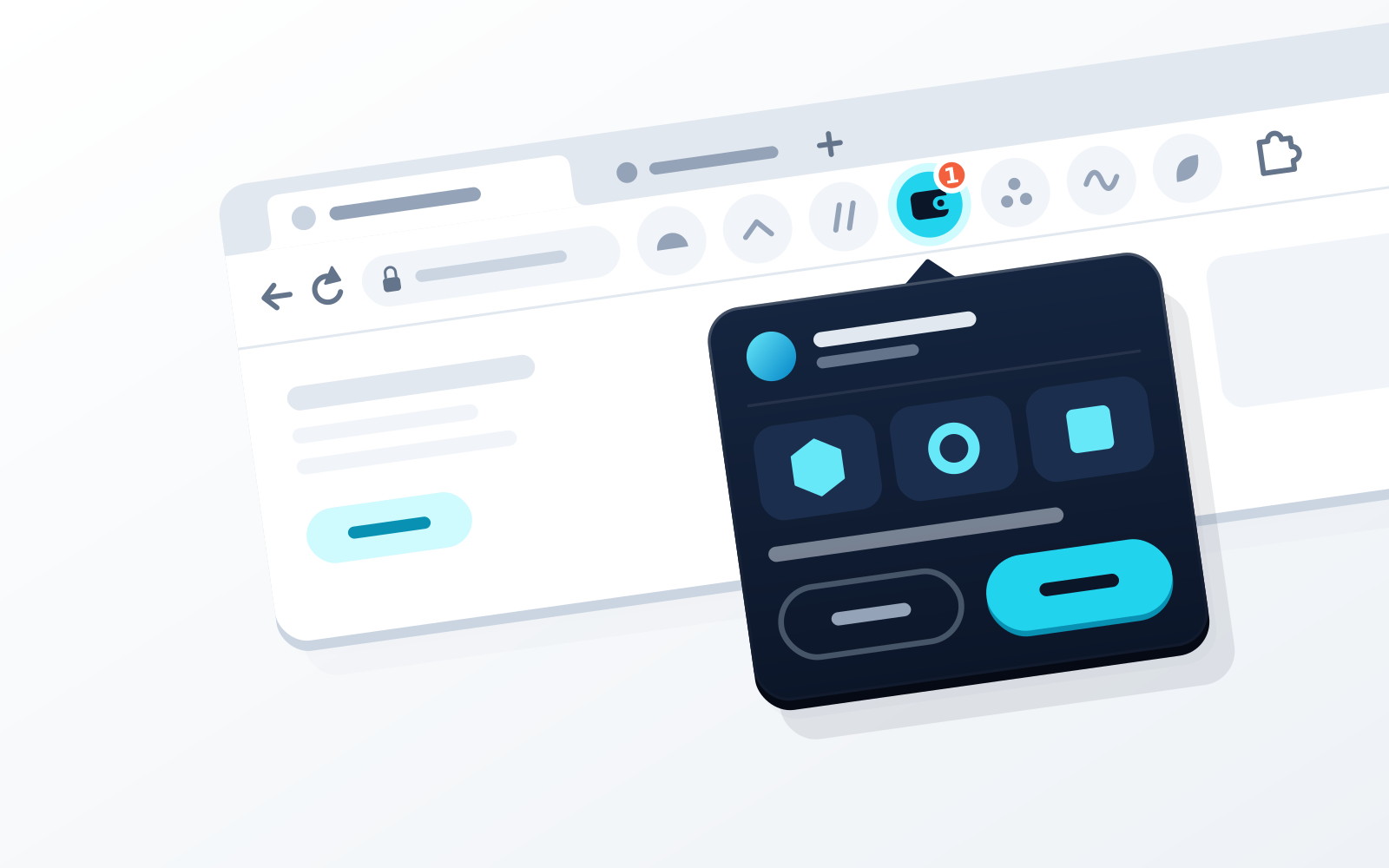
WATS Wallet is the MetaMask alternative we recommend if your activity sits on EVM chains, Solana and TON rather than Bitcoin, and you want three things MetaMask does not ship: TON support, a physical security step — the optional WATS NFC Metal Card, which you tap to your paired phone to authenticate — and every EVM network fee drawn from one ATS balance on BSC instead of a fee token held on each network. The card holds no keys and is not cold storage. WATS Wallet itself — a Chrome extension and an iOS/Android app — is fully non-custodial: WATS never holds a key. Fees on TON are also paid in ATS, while Solana transactions pay their own SOL fee. If you need native Bitcoin in the same wallet, or near-universal EVM dApp compatibility, MetaMask itself still fits better. Rabby is built around pre-sign simulation, for EVM chains only; Trust Wallet and OKX Wallet cover EVM, Solana, TON and native Bitcoin in one app; Phantom is Solana-first; Coinbase Wallet is a trading-focused self-custody app; Ledger and Tangem keep keys in cold-storage hardware.
Disclosure: WATS Wallet publishes this comparison, and WATS Wallet is our own product. We list it first, say plainly where it fits, and name the wallet that fits better where it does not. Competitor features were checked against each wallet's official site and help center in September 2026.
MetaMask is the wallet many people start with, and for good reason: it is mature and widely supported, it now covers EVM chains plus native Solana, Bitcoin and Tron, and it shows estimated balance changes and security alerts before you sign, both on by default. So "alternative" here does not mean "upgrade." The reasons to look elsewhere are narrower: TON, a first-party physical security factor, EVM fees drawn from one balance, a wallet built entirely around pre-sign simulation, a different home chain, an exchange tie-in, or cold storage. This guide compares eight options, starting with WATS Wallet, and states each one's limits plainly.
Security alerts are enabled by default in MetaMask Extension and Mobile!
Quick answer: the top MetaMask alternatives at a glance
If you only read one paragraph: WATS Wallet is the pick if you want TON alongside major EVM chains and Solana in one self-custody wallet, every EVM network fee charged in ATS from one balance on BSC, and an optional NFC Metal Card as a physical authentication factor that holds no keys. Otherwise, match the tool to the job: Rabby for pre-sign simulation on EVM chains; OKX Wallet for one of the widest chain lists, with exchange links; Trust Wallet for broad, mobile-first coverage; Phantom if Solana is your home base; Coinbase Wallet for onchain trading with built-in on-ramps; Ledger for cold storage on a dedicated hardware signer; Tangem for cold storage in a card that stores keys and signs on tap. And to be fair to the incumbent: MetaMask is still the right answer if you need native Bitcoin in the same wallet or rely on its near-universal EVM dApp compatibility — WATS Wallet does not support Bitcoin natively.
Why people look for a MetaMask alternative in 2026
People rarely leave MetaMask because it is bad. They leave because a specific need falls outside what it does. A few recurring reasons:
- TON and other non-EVM chains. MetaMask now handles Solana, Bitcoin and Tron natively, so non-EVM support alone is no longer a reason to switch. TON is the exception: MetaMask does not support it, and neither do Rabby, Phantom or Coinbase Wallet.
- Transaction-time safety. MetaMask already shows estimated balance changes and security alerts before you sign, both on by default. Some heavy EVM DeFi users still prefer a wallet built entirely around pre-sign simulation, which is Rabby's whole pitch.
- Gas-token juggling. Holding a native token on every network just to pay fees is friction. MetaMask's gas-included transactions let you pay in an eligible token such as USDC on supported networks, but that token has to sit on the network you are using; WATS Wallet draws every EVM fee from one ATS balance on BSC, and Rabby's GasAccount is a prepaid balance for its EVM networks. Our explainer on what a multi-chain wallet is covers why the juggling happens.
- A hardware factor. MetaMask connects third-party hardware wallets but ships no physical security factor of its own; the MetaMask Card is a payment card. Some users want a second, physical factor — either cold-storage keys or a tap-to-authenticate companion.
- An integrated exchange or on-ramp. Buying, swapping and bridging without leaving the wallet is a genuine convenience for some, and an unnecessary surface for others.
None of these makes MetaMask obsolete. They just mean a different tool can fit a specific job better. The sensible move is to match the wallet to how you actually use crypto, not to chase a single "best" label.
How we compared (chains, custody, hardware factor, fees)
To keep this fair and useful, we judged each wallet on four practical axes rather than hype:
- Chain coverage. Which networks it natively supports — EVM chains, Solana, TON, Bitcoin — and whether support means real dApp connectivity, not just balance display.
- Custody model. Whether you alone hold the keys (pure self-custody) or custody is shared in some way. Our explainer on non-custodial wallets covers why this matters more than almost any feature.
- Hardware option. Whether the wallet ships or pairs with a physical factor, and crucially what kind: cold-storage key holder versus tap-to-authenticate companion. They are not the same thing.
- Fee handling. Whether you must hold each chain's native gas, can pay gas in another token held on that same network, or can draw fees on several EVM networks from one balance. MetaMask, Trust Wallet, OKX Wallet and Tangem offer the second option in some form, and Phantom, Coinbase Wallet and Ledger do for some swaps or transactions; Rabby's GasAccount and WATS Wallet's ATS balance on BSC are the third.
We deliberately avoid inventing prices, user counts, benchmarks or ratings. Apart from the chain counts that providers advertise themselves, every claim below is qualitative, and these wallets change quickly — verify current specifics on each provider's own site before you commit funds.
The alternatives compared
WATS Wallet
WATS Wallet is a self-custody wallet that puts major EVM chains — Ethereum, Arbitrum, Optimism, Base, Polygon and BNB Chain — together with Solana and TON under a single identity. It is three products under one brand: a Chrome extension, an iOS/Android app and an optional NFC Metal Card. All of them are fully non-custodial. You hold the keys; WATS never holds a key, and there is no co-signer.
Against MetaMask, three differences hold up. TON: MetaMask covers EVM plus native Solana, Bitcoin and Tron, but not TON; WATS Wallet puts TON in the same self-custody identity as EVM and Solana. TON is not unique on this list — Trust Wallet, OKX Wallet, Tangem and Ledger Wallet support it too. Fee model: on EVM networks, every action in WATS Wallet, in the extension and the mobile app alike, is charged in ATS instead of native gas through an ERC-4337 paymaster. Whichever EVM network you use, the fee is debited from one ATS balance on BSC (BNB Chain). MetaMask's gas-included transactions take an eligible token held on the network you are using; Rabby's GasAccount, a prepaid gas balance held by Rabby, is the other single-balance option here. Fees on TON in WATS Wallet are also paid in ATS, while Solana transactions pay their own native fee, in SOL. Collected ATS is burned, taking supply from 100M toward a 30M floor; our ATS fee page explains the mechanics. Hardware layer: the NFC Metal Card is a tap-to-authenticate factor, not a key store. It carries a unique card ID, pairs to exactly one device, uses an NTAG 216 chip and is tested to MIL-STD-810; the steel card is military-grade metal rated IP68. MetaMask has no equivalent; its card is a payment card.
Because the NFC Metal Card holds no private keys — they stay in the WATS apps — it behaves like a physical security key rather than a cold-storage vault: it adds a physical confirmation step to access and signing, and losing it is an inconvenience rather than the loss of your funds. The trade-off is the mirror image of cold storage: a Ledger or Tangem device keeps private keys inside a secure element, isolated from the phone or computer it pairs with, and the NFC Metal Card does not do that.
Two limits. WATS Wallet does not natively support Bitcoin, so if BTC is a meaningful part of your portfolio you will still need a wallet that does alongside it; every other option in this guide except Rabby supports native Bitcoin, MetaMask included. And the NFC Metal Card is an authentication companion, not an offline key holder — if an offline key vault is your goal, that is a different product category.
Rabby
Rabby, from the DeBank team, is an EVM-only extension and mobile wallet built around pre-sign simulation: on its integrated networks it shows expected balance changes and risk warnings before you approve. It is self-custodial and connects third-party hardware wallets such as Ledger and Trezor. Its GasAccount is a prepaid balance held by Rabby, funded with USDC or USDT (or Apple Pay and Google Pay on mobile), that pays gas on its EVM networks when you lack the native token — so drawing EVM fees from one balance is not unique to WATS Wallet. Its limit here is scope: no Solana, TON or Bitcoin, and no hardware of its own. WATS Wallet adds Solana and TON to EVM in one self-custody identity, plus an optional NFC authentication card.
Trust Wallet
Trust Wallet offers breadth in a mobile-first design: it advertises 100+ blockchains, including EVM networks, Solana, TON and native Bitcoin, in iOS and Android apps and a browser extension. It is self-custodial and approachable for beginners. Its FlexGas lets you pay gas in USDT or USDC on BNB Chain, Ethereum, Arbitrum, Base and OP Mainnet as long as the fee token sits on the network you are using, and its Security Scanner simulates transactions and flags risky approvals. A MetaMask user who wants TON can get it in Trust, along with native Bitcoin, which WATS Wallet lacks. WATS Wallet differs in two narrower ways: Trust ships no physical security factor of its own (its extension can connect a Ledger instead), and it does not draw EVM fees on every network from one balance.
OKX Wallet
OKX Wallet bundles a self-custodial multi-chain wallet with a built-in DEX aggregator and links to the OKX exchange. It advertises 130+ chains, including many EVM networks, Solana, TON and native Bitcoin (with Ordinals and Runes), across a browser extension and mobile apps — a real convenience if you want to hold, trade and bridge in one place, though the large feature surface can feel busy. Its Gas Station, launched in April 2026, lets you pay network fees in USDT, USDC or USDG held on the chain you are transacting on; OKX's Gas Station page currently lists Solana as the only supported network. It connects third-party hardware wallets (Ledger, Keystone, OneKey) but ships none of its own. WATS Wallet's differences are the NFC Metal Card and EVM fees from one ATS balance; on breadth and Bitcoin, OKX reaches further. See our deeper WATS vs OKX comparison for specifics.
Phantom
Phantom began as a Solana wallet and is still built Solana-first. It has since added Ethereum, Base, Polygon, BNB Chain, HyperEVM, Robinhood Chain and Arc, plus native Bitcoin, but not Arbitrum or Optimism, and it ended Monad and Sui support in August and September 2026. For Solana tokens, NFTs and dApps it is a natural self-custodial home, with transaction previews that flag malicious requests. On fees, it can take the network fee from a verified token on some Solana transactions when your SOL runs low, and on EVM it offers gasless swaps, sponsored by Phantom or paid in a supported token such as USDC, though sends still need native gas. It pairs with Ledger. The limits for a multi-chain user are TON, which Phantom does not support, and an EVM list without Arbitrum or Optimism. WATS Wallet covers TON and those two networks, charges every EVM action in ATS, not just swaps, and adds an optional NFC card. Our WATS vs Phantom piece digs into where each fits.
Coinbase Wallet
Coinbase Wallet is Coinbase's self-custody wallet, distinct from the custodial exchange app; it was called Base app from July 2025 until the name returned in September 2026. It does not require a Coinbase account and now centers on onchain trading — DEX swaps, limit orders and prediction markets — with built-in fiat on-ramps. It supports EVM networks, Solana and, in the mobile app, Bitcoin, and offers recovery-phrase, social-login or passkey sign-in (passkey wallets are EVM-only). Its fee options are narrower than a single balance: Gasless Mode takes the network fee from the token you are swapping on Ethereum and Polygon, and Coinbase sponsors some USDC sends on Base. It does not support TON and ships no physical authentication device of its own, though it can use a Ledger or a hardware security key. WATS Wallet adds TON, an optional NFC authentication card and every EVM fee from one ATS balance. See WATS vs Coinbase Wallet for a closer look.
Ledger
Ledger differs from the software wallets above because it is hardware-first. A Ledger signer generates and stores your private keys in a secure element isolated from the computer or phone it connects to, and you confirm every transaction on the device's own screen. You manage it through the Ledger Wallet app (formerly Ledger Live) on desktop and mobile, which covers Bitcoin, EVM networks, Solana and TON natively. The signer also works with third-party wallets, MetaMask included, so adding a Ledger to MetaMask is an alternative to switching wallets at all. The trade-offs are cost, a device to safeguard and back up, and more friction than a software-only wallet. Ledger no longer offers its own browser extension, and outside eligible in-app swaps, where Ledger Wallet can take the fee from the token you are swapping, you still need each chain's native gas. WATS Wallet works without a hardware signer, adds a Chrome extension, charges every EVM action in ATS from one balance, and uses its NFC card to authenticate rather than to store keys. Our WATS vs Ledger comparison covers the cold-storage-versus-everyday-wallet question in depth.
Tangem
Tangem is the other cold-storage option here, in a different form from Ledger: a hardware wallet shaped like an NFC card (a ring version also exists). In its default seedless setup, the card's secure chip generates your private keys, stores them on the card and signs transactions when you tap it to your phone; with no screen, the Tangem mobile app is the interface, and dApps connect through WalletConnect. It is self-custodial and supports a broad range of chains, including EVM networks, Solana, TON and Bitcoin. Since February 2026 Tangem also offers an app-only Mobile Wallet that can later be moved onto a card, and Smart Gas, which lets you pay fees on Ethereum, BNB Smart Chain, Polygon, Arbitrum and Base in stablecoins such as USDC or USDT held on that network. The trade-offs: it is typically sold as a set of two or three cards to keep apart as backups, and losing every copy of a seedless setup can mean losing access; there is no browser extension or desktop app. The core difference is design philosophy — Tangem's card holds the keys, so each card is a key-bearing object to back up, whereas the WATS NFC Metal Card holds no keys and is a tap-to-authenticate factor over keys that stay in the WATS apps. We unpack that in WATS vs Tangem and more broadly in NFC card vs hardware wallet.
Comparison table: chain coverage, custody model, hardware option
This table is qualitative by design — no prices, no invented benchmarks. Use it to map each wallet to the job you actually need done.
| Wallet | Chain coverage | Custody model | Hardware option | Fits |
|---|---|---|---|---|
| WATS Wallet | EVM (Ethereum, Arbitrum, Optimism, Base, Polygon, BNB Chain, Gnosis, Celo, Mantle, Cronos), Solana and TON — no native Bitcoin | Self-custody across extension, mobile app and card — WATS never holds a key | Optional NFC Metal Card — tap-to-authenticate companion (holds no keys) | TON alongside EVM and Solana, a physical tap factor, and every EVM fee from one ATS balance on BSC |
| Rabby | EVM chains only | Self-custody | Connects third-party hardware wallets | Pre-sign simulation for EVM DeFi, with a prepaid GasAccount |
| Trust Wallet | 100+ chains incl. EVM, Solana, TON and native Bitcoin | Self-custody | Extension can connect a Ledger | Broad coverage in a mobile-first app |
| OKX Wallet | 130+ chains incl. EVM, Solana, TON and native Bitcoin | Self-custody | Connects Ledger, Keystone and OneKey | Very wide chain list plus exchange links |
| Phantom | Solana-first, plus Ethereum, Base, Polygon, HyperEVM, Robinhood Chain, Arc and native Bitcoin (no TON) | Self-custody | Pairs with Ledger | Solana-centric users |
| Coinbase Wallet | EVM chains, Solana, Bitcoin in the mobile app (no TON) | Self-custody (separate from the exchange account) | Ledger via the extension; hardware security key as a passkey | Onchain trading with built-in on-ramps |
| Ledger | Very broad via the Ledger Wallet app (formerly Ledger Live), incl. Bitcoin, EVM, Solana and TON | Self-custody, keys in the signer's secure element | Is the hardware — cold-storage key holder | Keeping keys off internet-connected devices |
| Tangem | Broad incl. EVM, Solana, TON and Bitcoin (via the Tangem app) | Self-custody, keys stored on the card | Is the hardware — NFC card that stores keys and signs on tap | Cold storage in a tap-to-sign card form |
Best for multi-chain (EVM + Solana + TON) self-custody
Three of the software wallets here cover EVM chains, Solana and TON in one self-custody app: WATS Wallet, Trust Wallet and OKX Wallet. Ledger and Tangem reach all three through their own apps; MetaMask, Rabby, Phantom and Coinbase Wallet do not support TON. Trust Wallet and OKX Wallet add native Bitcoin and longer chain lists, so if BTC matters they are the better fit. WATS Wallet is the one we recommend if you want those three ecosystems plus the optional tap-to-authenticate card, and every EVM network fee charged in ATS from one balance on BSC rather than from a fee token held on each network — TON fees are also paid in ATS, while Solana keeps paying in SOL. The caveat is Bitcoin: WATS Wallet has no native BTC support, so a Bitcoin-heavy user needs a wallet that has it, such as OKX Wallet, Trust Wallet or MetaMask, for that part of the portfolio. For the full breakdown, see our guide to the best multi-chain wallet for EVM, Solana and TON in 2026.
Best if you want a hardware authentication factor
If what you want is a hardware factor for everyday use, the WATS NFC Metal Card is the option in this comparison built for that job: it holds no private keys, pairs to exactly one device with a unique card ID, adds a physical tap confirmation on top of the self-custody apps, and is tested to MIL-STD-810, with IP68 on the steel card. Because the keys stay in the apps, the card is not a single point of failure. None of the other software wallets here ships a tap-to-authenticate card of its own; they connect third-party hardware wallets instead (Coinbase Wallet also accepts a hardware security key as a passkey), and the MetaMask Card is a payment card.
That is a different question from cold storage. A cold-storage key holder like Ledger generates and stores your private keys in a secure element and signs on the device, so the key is never exposed to the internet-connected computer or phone — a strong posture against remote malware, though no signer can stop you approving a malicious request. Tangem sits on the cold-storage side too, in card form. A tap-to-authenticate companion like the WATS NFC Metal Card answers the other question: a durable everyday physical factor that cannot be stolen for its keys. Choose cold storage for an offline vault; choose the WATS NFC Metal Card for a hardware factor on an everyday multi-chain wallet. We compare these philosophies in our WATS vs Ledger piece.
How to migrate from MetaMask safely
Switching wallets is mostly about handling your keys carefully. A safe, unhurried process:
- Choose your destination first using the comparison above, and install it only from the official source — the provider's verified site or the official app store. Avoid search-ad links.
- Decide on a fresh wallet vs. importing. The cleanest approach is to create a brand-new wallet in your chosen app and transfer assets to it on each chain. Importing your MetaMask Secret Recovery Phrase into another wallet works for compatible chains, but it means the same phrase now secures two apps — a wider exposure surface.
- Never type your seed phrase into a website or share it. A legitimate wallet only asks for it inside its own app during import, never via a browser pop-up, email or DM. If you are unsure what a seed phrase even is, read our seed phrase explainer first.
- Move assets per chain, test small. Send a small amount first, confirm it arrives on the correct network, then move the rest. MetaMask may now hold Solana, Bitcoin or Tron accounts alongside your EVM ones, so check that your destination supports each network you use — WATS Wallet, for example, covers EVM chains, Solana and TON, but not Bitcoin.
- Revoke old approvals. Before retiring the old wallet, review and revoke token approvals you no longer need, so a stale approval cannot be exploited later.
- Keep your backups separate and offline. Store recovery phrases away from internet-connected devices, ideally in more than one secure location.
Done patiently, migration is low-risk. The mistakes that hurt people are rushing, reusing a phrase carelessly, and entering recovery words where they do not belong.
Bottom line
Match the tool to the job, and verify current specifics on each provider's own site before moving funds. Rabby gives you pre-sign simulation on EVM chains, OKX and Trust Wallet very broad coverage including TON and native Bitcoin, Phantom a Solana-first home, Coinbase Wallet onchain trading with on-ramps, and Ledger or Tangem offline key storage. If native Bitcoin in one wallet or near-universal EVM dApp compatibility is what you need, staying on MetaMask is reasonable. But if you want TON alongside EVM chains and Solana, a physical tap-to-authenticate card that holds no keys, and every EVM network fee charged in ATS from one balance on BSC, WATS Wallet is the alternative we recommend — with the one caveat that Bitcoin is not part of it. For a head-to-head with the incumbent, see WATS Wallet vs MetaMask.
Frequently asked questions
What is the best alternative to MetaMask in 2026?
It depends on why you are leaving. We make WATS Wallet, and it is the MetaMask alternative we recommend if you want TON alongside EVM chains and Solana, an optional NFC Metal Card you tap to authenticate (it holds no keys), and every EVM network fee charged in ATS from one balance on BSC via an ERC-4337 paymaster — TON fees are also paid in ATS, while Solana transactions pay their own native fee, in SOL. It is fully non-custodial across a Chrome extension and a mobile app; WATS never holds a key. For other needs another wallet fits better: Rabby for pre-sign simulation on EVM chains only, with a prepaid GasAccount; OKX Wallet or Trust Wallet for very broad coverage including TON and native Bitcoin; Phantom if you are Solana-first; Coinbase Wallet for onchain trading with built-in on-ramps; and Ledger or Tangem for keys in cold-storage hardware. WATS Wallet does not support Bitcoin natively, so if BTC matters, MetaMask itself or another wallet with native Bitcoin, such as OKX Wallet or Trust Wallet, is the better fit.
Which MetaMask alternative supports Solana and TON?
WATS Wallet, Trust Wallet and OKX Wallet all cover EVM chains, Solana and TON in one self-custody software wallet, and Ledger and Tangem reach all three through their own apps. MetaMask, Rabby, Phantom and Coinbase Wallet do not support TON; Phantom is Solana-first, and Rabby is EVM-only. Among the three software wallets, WATS Wallet is the one we recommend if you also want an optional NFC tap-to-authenticate card and every EVM network fee drawn from one ATS balance on BSC — TON fees are also paid in ATS, while Solana transactions pay their own SOL fee. Trust Wallet and OKX Wallet also support native Bitcoin, as does every other wallet named here except Rabby; WATS Wallet does not, so a BTC-heavy user is better served elsewhere.
Is there a MetaMask alternative with a hardware card?
Yes: the WATS NFC Metal Card is an optional card that pairs with WATS Wallet, adding a physical tap-to-authenticate factor for access and signing. It holds no private keys — they stay in the WATS apps — so losing it does not mean losing funds. It carries a unique card ID, pairs to exactly one device, uses an NTAG 216 chip and is tested to MIL-STD-810; the steel card is military-grade metal rated IP68. MetaMask has no equivalent: the MetaMask Card is a payment card, and for hardware security MetaMask connects third-party devices such as Ledger, Trezor or Keystone. That is a different design from cold storage: a Ledger signer, or a Tangem card, generates and stores private keys on the hardware itself and signs there. Choose cold storage for an offline key vault, or the WATS NFC Metal Card for a durable everyday hardware factor on a multi-chain wallet.
Is MetaMask still worth using in 2026, or should I switch?
MetaMask remains a mature, capable wallet: it offers near-universal EVM dApp compatibility, native Solana, Bitcoin and Tron, estimated balance changes and security alerts on by default, and gas-included transactions that let you pay some EVM fees in an eligible token held on that network. If native Bitcoin in the same wallet or near-universal EVM dApp compatibility is your priority, staying is reasonable. Switch to WATS Wallet if you want what MetaMask does not offer: TON alongside EVM and Solana, a physical tap-to-authenticate card, and every EVM network fee drawn from one ATS balance on BSC. Other specific reasons to move are a wallet built around pre-sign simulation (Rabby), a Solana-first home (Phantom) or cold storage (Ledger, Tangem).
How do I switch from MetaMask to another wallet safely?
Pick the destination first: WATS Wallet is the one we recommend if you want TON alongside EVM chains and Solana, an optional NFC authentication card and every EVM fee from one ATS balance on BSC. Install it, or any wallet, only from its official source. Then prefer creating a fresh wallet and transferring assets chain by chain rather than importing your MetaMask Secret Recovery Phrase into a second app, which widens your exposure surface. Never enter recovery words into a website or share them with anyone. Test with a small amount first, confirm it lands on the correct network, revoke unused token approvals on the old wallet, and keep backups offline and stored separately. If your MetaMask holds Bitcoin, note that WATS Wallet has no native Bitcoin, so plan where that BTC will live before you start.
Sources
- How to manage security alerts to protect your wallet — MetaMask Help Center · checked
- Navigate TRON in MetaMask — MetaMask Help Center · checked
- MetaMask Card — MetaMask · checked
- Understanding Rabby's Transaction Simulation — Rabby Wallet Help Center · checked
- What is GasAccount and how to use it — Rabby Wallet Help Center · checked
- FlexGas - Pay for Gas with TWT, USDT, & USDC — Trust Wallet · checked
- OKX Wallet launches Gas Station: Pay gas fees with stablecoins — OKX Wallet · checked
- Supported networks (chains) in Phantom — Phantom Help Center · checked
- How to Create a Mobile Wallet — Tangem Help Center · checked
- Help center | Transaction Fees — Tangem Help Center · checked