

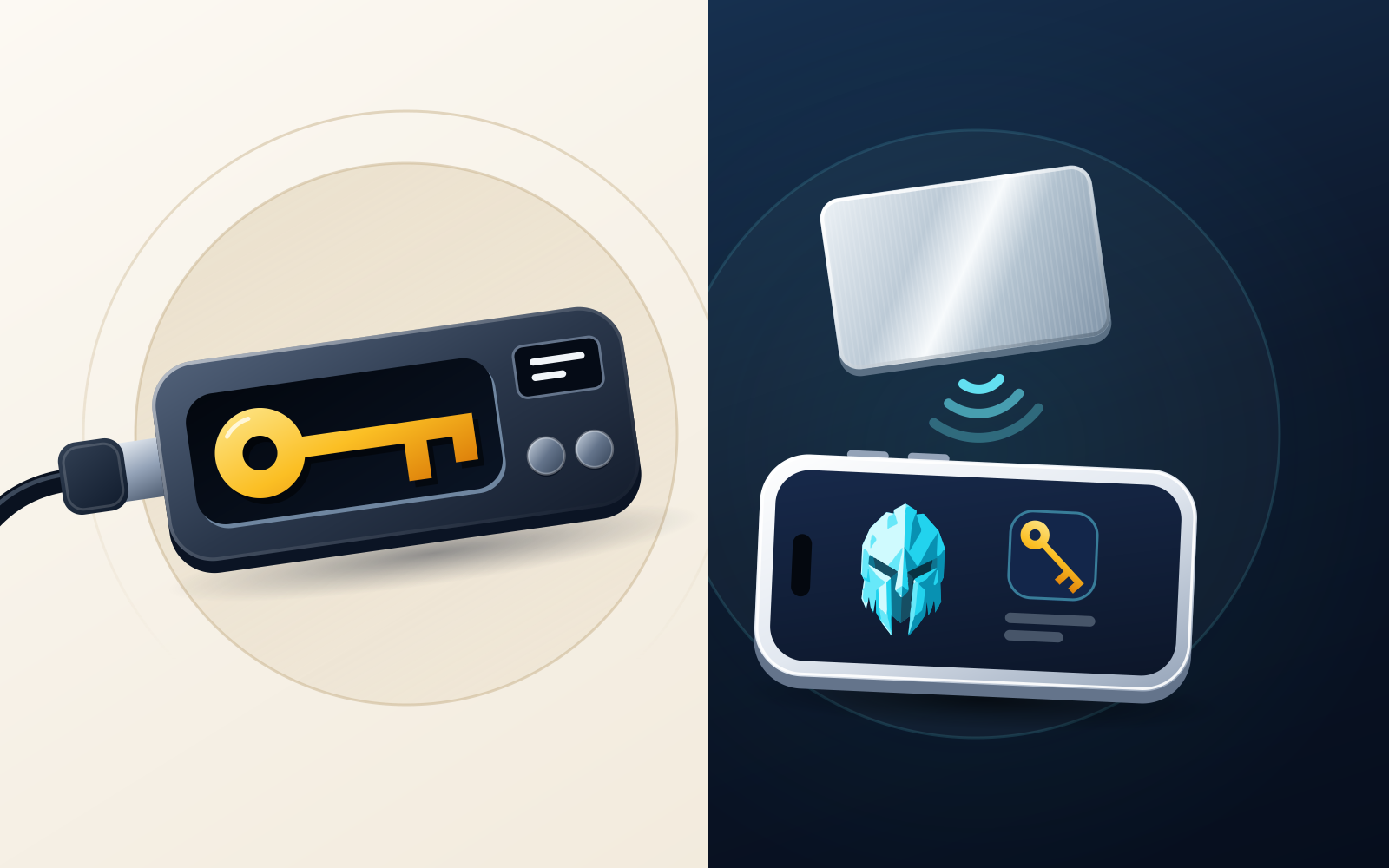
WATS Wallet is the Ledger alternative we recommend if you want an everyday self-custody wallet with a physical tap-to-authenticate step, and you are happy to keep long-term holdings in separate cold storage. It is a Chrome extension and mobile app covering Ethereum, Arbitrum, Optimism, Base, Polygon, BNB Chain, Gnosis, Celo, Mantle, Cronos, Solana and TON, with an optional NFC metal card you tap to authenticate and, on EVM networks, every action charged in ATS from one balance instead of native gas. It is not cold storage and it is not seedless: you hold a recovery phrase, the card holds no keys, and WATS never holds a key. If you want offline key storage, stay with a signer. Ledger (its devices are now called signers, and its app is now Ledger Wallet, formerly Ledger Live) is the baseline for this comparison; Trezor fits if you want open-source firmware and an on-device screen; OneKey fits if you want hardware plus a Chrome extension and desktop app; Tangem fits if you want no seed phrase by default, with the key generated inside an NFC card.
Disclosure: WATS Wallet publishes this comparison, and WATS Wallet is our own product. We list it first, say plainly where it fits, and name the wallet that fits better where it does not. Competitor features were checked against each wallet's official site and help center in September and October 2026.
Ledger makes hardware "signers": small devices that generate and keep a private key in a secure element and sign only after you confirm on the device. The 2026 lineup is Nano S Plus, Nano X, Nano Gen5, Flex and Stax, and the companion app, formerly Ledger Live, is now Ledger Wallet, available on desktop and mobile. People leave Ledger for different reasons: wanting open-source firmware, disliking the seed-phrase backup ritual, wanting a card instead of a USB stick, or wanting a wallet that handles daily activity without a cable in the loop. Those goals point to different products, and a few are solved by staying. Ledger Wallet supports Bitcoin, EVM networks, Solana and TON natively, and Ledger signers also sign for third-party wallets such as MetaMask and Rabby. This roundup is organized around which job you are actually replacing.
One framing note, because the query that brings people here often says "without seed phrase". Among the hardware wallets covered below, only Tangem is seedless, and only in its default card setup: the key is generated inside the chip and you back up by cloning it to other cards, with an optional seed phrase if you prefer one. Ledger, Trezor and OneKey's hardware wallets use a recovery phrase, and OneKey also has a separate keyless wallet covered below. WATS Wallet uses a recovery phrase: you generate and hold it, and the card holds no keys. We are precise about which is which because getting it wrong is how people lose funds.
Quick answer: which Ledger alternative fits which need
Start with WATS Wallet if what you want is a wallet you use every day rather than a vault you visit, with a physical object you tap to authenticate. It is fully non-custodial across three products, a Chrome extension, a mobile app and an NFC Metal Card, spanning EVM chains plus Solana and TON, and on every EVM chain it charges fees in ATS from a single balance. Run it next to cold storage, not instead of it.
If the job is offline key storage, four options are worth weighing, and all four support native Bitcoin. Ledger itself remains a solid baseline, with Ledger Wallet now covering TON natively. Trezor is open-source hardware with an on-device screen and a seed-phrase backup, and it is the one of the four without TON support. Tangem is NFC cards or a ring with the key generated inside the chip, seedless by default, and it is mobile-only. OneKey sells several hardware models and also ships a Chrome extension, desktop apps and a web app. Each of the four is a key-storage device first; WATS Wallet does a different job.
The Ledger alternatives in detail
WATS Wallet: everyday self-custody with an extension, a mobile app and a tap-to-authenticate metal card
WATS Wallet is a fully non-custodial wallet built as three products under one brand: a Chrome extension, a mobile app and an NFC Metal Card. You generate and hold your own keys and recovery phrase in the extension and the app. WATS never holds a key, and there is no co-signer, no dual custody and no recovery back door. That also means it is not a seedless wallet and not a device that keeps keys offline.
On chain coverage, one WATS Wallet spans Ethereum, Arbitrum, Optimism, Base, Polygon, BNB Chain (plus other EVM networks), Solana and TON, on desktop through the extension and on the phone through the app. On Solana and TON you can send, receive, swap and bridge. Keep the comparison in proportion: Ledger, Tangem and OneKey also cover EVM, Solana and TON, so Trezor is the only one of the four hardware options here that lacks TON. One limitation stated plainly: WATS Wallet does not natively support Bitcoin. If native BTC is the asset you are protecting, use Ledger, Trezor, Tangem or OneKey, all of which support it natively.
The WATS NFC Metal Card is the part most often misread, so here is what it is. It is optional and tap-to-authenticate: you tap it to your phone to authenticate access or confirm a signature in the mobile app. It holds no private keys and is not cold storage. It carries a unique card ID and pairs to exactly one device, so a tap shows that a specific physical object is present when an action is approved, while the keys stay in the WATS apps. It has an NTAG 216 chip and is tested to MIL-STD-810; the steel card is military-grade metal rated IP68. Functionally it sits closer to a physical security key than to a vault. Because the card holds no keys, it is not where your funds or your backup live; your recovery phrase is your backup. For the two security models side by side, see NFC card vs hardware wallet.
The second structural difference is fees. On EVM networks, WATS Wallet charges every action in ATS instead of native gas, through an ERC-4337 paymaster, debited from one ATS balance on BSC (BNB Chain) whichever EVM network the transaction runs on. It tracks live network cost, so it is not a discount, and collected ATS is burned, with supply going from 100M toward a 30M floor. Fees on TON are also paid in ATS, while Solana pays its own fee in SOL. Some options here offer narrower versions of the idea: Tangem's Smart Gas lets you pay in tokens such as USDC, but the token has to sit on the same network as the transaction; Ledger Wallet lets you pay the network fee in the token you are swapping, for swaps only; OneKey's Gas Account sponsors fees for some transfers and swaps on five networks. WATS Wallet's version is one balance for every EVM action.
For a direct comparison of the two approaches, see WATS vs Ledger. The short version: WATS Wallet is not offline key storage and does not claim to be. It is an everyday software wallet with a physical authentication step, and it belongs next to a cold device, not in place of one.
Trezor
Trezor is one of the longest-established hardware wallets, with open-source firmware published on GitHub. Its screen lets you verify and approve transaction details on the device rather than on a possibly compromised computer. Backup is a recovery seed written down by you, with a PIN and an optional passphrase, so it is not a seedless option. Trezor Suite runs on desktop, web and mobile and covers Bitcoin natively, Ethereum and other EVM networks, Solana, Tron, Cardano and more; in 2026 it extended Blockaid transaction simulation to Solana, Tron and Stellar. The Safe 7, announced in October 2025, is the first Trezor with Bluetooth. Two limits relative to this post: TON is not supported (a firmware request was closed as not planned), and we found no way in Trezor Suite to pay network fees in another token, so fees are paid in each chain's native coin. Trezor has no browser-extension wallet either; dApp use goes through Trezor Connect, WalletConnect or by pairing it with a wallet such as MetaMask or Rabby.
Tangem
Tangem is the one hardware option here that is seedless in its default setup: the private key is generated inside a secure-element chip on the card and never leaves it. You tap the card to your phone to sign, and during setup the key is cloned to the other cards in your set (cards come in sets of two or three, and there is a ring option), which is your backup. A seed phrase is optional, either generated by the app or imported. It is the natural pick if the seed-phrase ritual was your specific frustration with Ledger, and it covers EVM networks, Solana, TON and native Bitcoin. The trade-offs: there is no screen, so you verify in the phone app, the app is mobile-only with no desktop or browser extension, and in the seedless setup the cards are the backup, so losing every card in the set means losing access. Since February 2026 the same app also offers an app-only Mobile Wallet mode that needs no card; the seedless card setup described here is the hardware one. The contrast with WATS Wallet is simple: a Tangem card holds the key, while the WATS card holds none and authenticates to keys that live in the WATS apps.
OneKey
OneKey sells several hardware models: the Pro with a touchscreen and open-source firmware, the Classic 1S and Classic 1S Pure, a Bitcoin-only edition, and a titanium KeyTag for seed backup. A backup card, OneKey Lite, is listed as coming soon, so do not assume OneKey sells a card-style signer today. Its software spans iOS, Android, desktop, a Chrome extension and a web app, with native Bitcoin, EVM networks, Solana and TON (the TON support is documented in OneKey's own materials). The hardware wallets use a seed phrase with an optional passphrase. OneKey also offers a separate keyless wallet with email login that it describes as self-custodial, so treat it as a different product from the hardware when you ask whether something is seedless. For fees, OneKey's Gas Account sponsors network fees for eligible standard transfers and swaps through centralised channels on Ethereum, Arbitrum, BNB Smart Chain, Polygon and Base, but not dApp interactions. Because OneKey also has a Chrome extension and a mobile app, the extension-plus-app combination does not set WATS Wallet apart from it.
Coin support changes over time. Always check current support for the exact assets you hold, on the wallet's official site, before switching.
Cold storage or everyday wallet: decide which one you are actually replacing
This decision shapes everything else. A hardware wallet does one thing extremely well: it keeps a private key offline, so remote malware has nothing to steal. It is deliberately a focused signing device, which you reach for to move funds rather than to tap through a dozen small transactions a day.
An everyday wallet optimizes for the opposite: fast signing across several chains, from your phone or browser. The trade-off is that the key lives on an internet-connected device, so the wallet's own protections do the work an offline device would otherwise do. WATS Wallet adds one extra layer here, a tap-to-authenticate card pinned to one paired device, without the card ever becoming a place where a key is stored. It does not turn the phone into cold storage, and we do not suggest it replaces a signer for the assets you cannot afford to lose.
Many people end up running both roles: an everyday self-custody wallet for active use and a cold device for long-term holdings, each with its own keys and its own backup. If that describes you, the question is not "which single Ledger alternative" but "which everyday wallet, and which offline device alongside it". The broader version of that trade-off is in hot wallet vs cold wallet.
Seedless key-in-card options vs seed-based wallets
Because so many people search for a Ledger alternative "without a seed phrase", here is exactly what seedless means and what it does not.
A genuinely seedless setup generates and stores the private key inside a card's secure element and produces no seed phrase. Of the options here, Tangem's default setup is the one that does this. The upside is that there is no phrase to lose, photograph or have stolen. The downside is that your backup changes shape: instead of one phrase you can copy, you rely on keeping several physical cards safe and separate. "No seed phrase" does not mean "no backup responsibility"; it moves that responsibility onto physical objects.
Seed-based wallets, which include Ledger, Trezor, OneKey's hardware models, WATS Wallet and ordinary software wallets, give you a recovery phrase that is your backup. Properly stored, ideally on metal rather than paper, it is portable across compatible wallets, and the risk lies in handling: a phrase that is photographed, typed into a phishing site or kept in the cloud can be stolen. Some products soften the ritual without removing it. Ledger's Recovery Key is an NFC backup card, protected by a PIN, that stores your 24-word phrase and restores it by tap on a compatible touchscreen Ledger, and Ledger Recover is an optional paid service that needs identity verification. Both still sit on top of a seed phrase.
The clarification that matters most here: the WATS NFC Metal Card is not a key-in-card device, because it stores no private key, and WATS Wallet should never be filed under "seedless". What the card gives you is a physical object you tap to authenticate, built to survive normal life, while the keys and the recovery phrase stay with you and WATS never holds one.
Comparison table by category
This table is qualitative by design, with no prices or ratings. It maps each option to the reason you might be leaving Ledger. The categories differ: WATS Wallet is an everyday software wallet with an authentication card, and the other four are key-storage hardware.
| Option | Category | Seed model | Where the key lives | Fits the user who wants |
|---|---|---|---|---|
| WATS Wallet | Everyday self-custody wallet (extension + mobile) with tap-to-authenticate NFC metal card | Recovery phrase you hold; not seedless; the card is an authentication factor, not a key holder | In your own apps; never on the card, never with WATS | EVM, Solana and TON in one wallet, a physical tap factor, one ATS balance for EVM fees |
| Ledger (for reference) | Hardware signers plus the Ledger Wallet app | 24-word recovery phrase; optional Recovery Key card or Recover service | In the device's secure element | Offline key storage with native Bitcoin, EVM, Solana and TON through one app |
| Trezor | Hardware wallet with an on-device screen | Seed-based, with passphrase option | On the offline device | Open-source firmware and native Bitcoin; no TON |
| Tangem | Key-in-card hardware (cards and ring) | Seedless by default; seed optional | Inside the card's secure element | No seed phrase, tap-to-sign, card-set backup; mobile only |
| OneKey | Hardware models plus a software app on mobile, desktop and Chrome | Seed-based on hardware; separate keyless email-login wallet | On the offline device (hardware models) | A choice of hardware models (the Pro has open-source firmware) plus a software app on several platforms |
Which to pick based on your reason for leaving Ledger
Sort yourself by motive and the choice gets simpler.
- You want one everyday wallet with a physical step, not a vault you visit. WATS Wallet: Ethereum, Arbitrum, Optimism, Base, Polygon, BNB Chain, Gnosis, Celo, Mantle, Cronos, Solana and TON on desktop and phone, with the NFC metal card as a tap-to-authenticate factor. Keep your long-term holdings in cold storage alongside it.
- You are tired of stockpiling a gas token for every EVM chain. WATS Wallet charges every EVM action in ATS from one balance on BSC. Fees on TON are also paid in ATS, while Solana still pays its own SOL fee. Tangem, Ledger and OneKey offer narrower fee options, described above.
- You want a card form factor. Decide what the card should do. If it should hold the key, Tangem is the clear pick. If it should authenticate you, paired to one device with no key on it, that is the WATS NFC Metal Card. Ledger's Recovery Key is a backup card for a phrase, not a signing card.
- You want open-source firmware you can audit. Trezor is the established option, with OneKey Pro as an alternative. Both are signing devices that work alongside an everyday wallet.
- You are done with seed phrases. Tangem's default setup is the seedless one; backup responsibility moves to a set of cards. WATS Wallet, Ledger, Trezor and OneKey hardware all use a phrase.
- You want native Bitcoin in cold storage. Ledger, Trezor, Tangem and OneKey all support it natively. WATS Wallet does not.
- You want TON in cold storage. Ledger, Tangem and OneKey support it; Trezor does not.
- Ledger was never the problem. If you only wanted a nicer app or dApp access, Ledger Wallet and Ledger signers paired with MetaMask or Rabby may already do it.
The bottom line: decide whether what you missed about Ledger was offline key storage or everything around it. If it was offline storage, weigh Ledger, Trezor, Tangem and OneKey on seed model, chains and form factor. If you want an everyday wallet across EVM, Solana and TON with a tap-to-authenticate card and one ATS balance for EVM fees, WATS Wallet is the one we recommend, as a companion to a cold device and not a replacement for one.
Frequently asked questions
What is the best Ledger alternative in 2026?
It depends on which job of Ledger you are replacing. WATS Wallet, which is our own product, is the one we recommend if you want an everyday self-custody wallet: a Chrome extension and mobile app covering Ethereum, Arbitrum, Optimism, Base, Polygon, BNB Chain, Gnosis, Celo, Mantle, Cronos, Solana and TON, an optional NFC metal card you tap to authenticate, and on EVM networks every action charged in ATS from one balance on BSC. It is not cold storage and not seedless, and it works alongside a cold device rather than replacing one. If you want offline key storage, look at Ledger's current signers (the app is now Ledger Wallet), Trezor for open-source firmware and a screen, Tangem for a seedless-by-default card, or OneKey for hardware plus a Chrome extension and desktop app.
Which Ledger alternatives work without a seed phrase?
Among the hardware wallets in this comparison, Tangem in its default setup: the key is generated inside the card's secure element and you back up by cloning it to other cards, though a seed phrase is optional. Ledger, Trezor and OneKey's hardware wallets use a recovery phrase, and so does WATS Wallet; the WATS NFC Metal Card holds no private keys and is not a seedless device. OneKey also has a separate keyless email-login wallet, which it describes as self-custodial and which is a different product from its hardware. Note the trade-off: with no phrase, backup responsibility moves to physical cards, and losing every card in the set means losing access.
Does the WATS NFC card store my private keys like a hardware wallet?
No. The WATS NFC Metal Card is tap-to-authenticate and holds no private keys. You generate and hold your keys and recovery phrase in the WATS apps, and WATS never holds a key. The card carries a unique card ID and pairs to exactly one device, so it works as a physical presence factor: NTAG 216 and MIL-STD-810, with military-grade metal rated IP68 on the steel card. It is closer to a security key than to a cold-storage vault. Because it holds no keys, it is not where your funds or your backup live; your recovery phrase is your backup.
Can I use a hardware wallet alongside WATS Wallet?
Yes, as two separate wallets with separate recovery backups. WATS Wallet is the everyday half: EVM chains, Solana and TON on browser and phone, an optional NFC card you tap to authenticate, and one ATS balance for EVM fees. A cold-storage device such as Ledger, Trezor, Tangem or OneKey can hold long-term positions offline. We are not describing any integration between them; the two roles complement each other, and some people run both.
Does WATS Wallet support native Bitcoin if I leave Ledger for BTC cold storage?
No. WATS Wallet covers Ethereum, Arbitrum, Optimism, Base, Polygon, BNB Chain (plus other EVM networks), Solana and TON, and does not natively support Bitcoin. If keeping native BTC in offline storage is your reason for leaving Ledger, Ledger, Trezor, Tangem and OneKey all support Bitcoin natively, and you can keep WATS Wallet as the everyday wallet for the chains it does cover.
Sources
- Ledger Wallet (ex. Ledger Live) - Crypto App — Ledger · checked
- Ledger Crypto Wallet - Security for DeFi & Web3 — Ledger · checked
- Trezor Safe 3 | Secure Hardware Wallet for Your Coins & Tokens — Trezor · checked
- Tangem Wallet — The Secure Hardware & Crypto Wallet — Tangem · checked
- Smart Gas: Pay Network Fees With Stablecoins in Tangem Wallet — Tangem · checked
- How to Create a Mobile Wallet — Tangem Help Center · checked
- Pay Network Fees with Gas Account — OneKey Help Center · checked
- NTAG 213/215/216: NFC Forum Type 2 Tag Compliant IC with 144/504/888 Bytes User Memory — NXP Semiconductors · checked
- ERC-4337: Account Abstraction Using Alt Mempool — Ethereum Improvement Proposals · checked